
OFFICIAL APP
Ready
Match Vision
Live match dashboard, stream overlay, and in-game view.
The Warcraft III app platform
W3Booster connects Warcraft III to the tools around it. Install match apps, power overlays, follow live game data, and manage your broadcast from one desktop workspace.
Built for players, streamers, observers, and app creators.
Live match dashboard, stream overlay, and in-game view.
Review the details that shaped the match.
One place for every tool
W3Booster is an app workspace, not one fixed overlay. Choose what you use, keep each app’s settings together, and open the right surface for play, observation, or broadcast.
Discover official and community apps, see what each one adds, then install, enable, or pause it without rebuilding your streaming setup.
Every app has its own settings and surfaces. Disable an app without uninstalling it, or pause stream and in-game integrations globally.
The desktop recorder follows match state, while apps receive normalized data for players, resources, heroes, upgrades, statistics, and more.
MV Match Vision
Match Vision turns live data into context for players and viewers: identities, rankings, resources, heroes, abilities, inventory, research, match score, and game time.
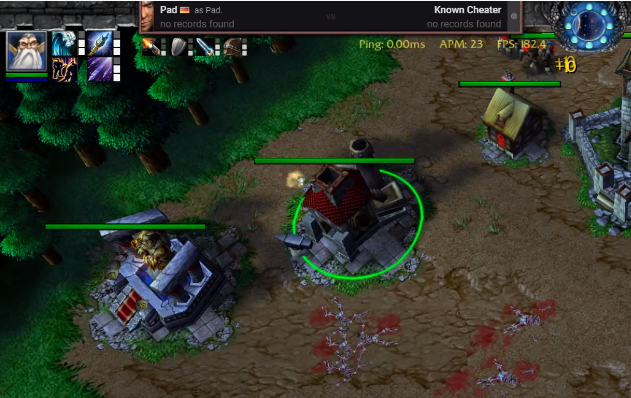
Made for broadcast
Add W3Booster to OBS once. The platform loads the overlay apps you enable, keeps credentials out of those apps, and gives each app only the match data it needs.
Get started
Download the Windows app, sign in with Twitch, and let the workspace connect to Warcraft III.
Install Match Vision and any other tools you want. Configure their dashboards and overlay surfaces in one place.
Apps receive the live match state automatically. Add the stable browser source to OBS when you want overlays on stream.
For app creators
The typed SDK handles authorization, launch sessions, transport selection, snapshots, patches, reconnects, and host actions. You build the experience.
import { createClient } from '@w3booster/sdk';

const client = createClient({
  clientId: 'your_app_id'
});

client.lifecycle.subscribe(render);
await client.start();Ready for your next match
Download W3Booster for Windows and make the workspace your own.